
What the T-Time is and isn't
What is the purpose of the T-Time?
- Makes planning your spontaneous T trips very easy (head out when you see your train coming)
- Keeps you off your phone as you're leaving the house
- Sometimes better than the phone apps (I put a bunch of effort into filtering out ghost trains/buses)
- Cool MBTA themed desk/home decoration
- Shows time/weather outside so you can plan ahead
What does the T-Time show?
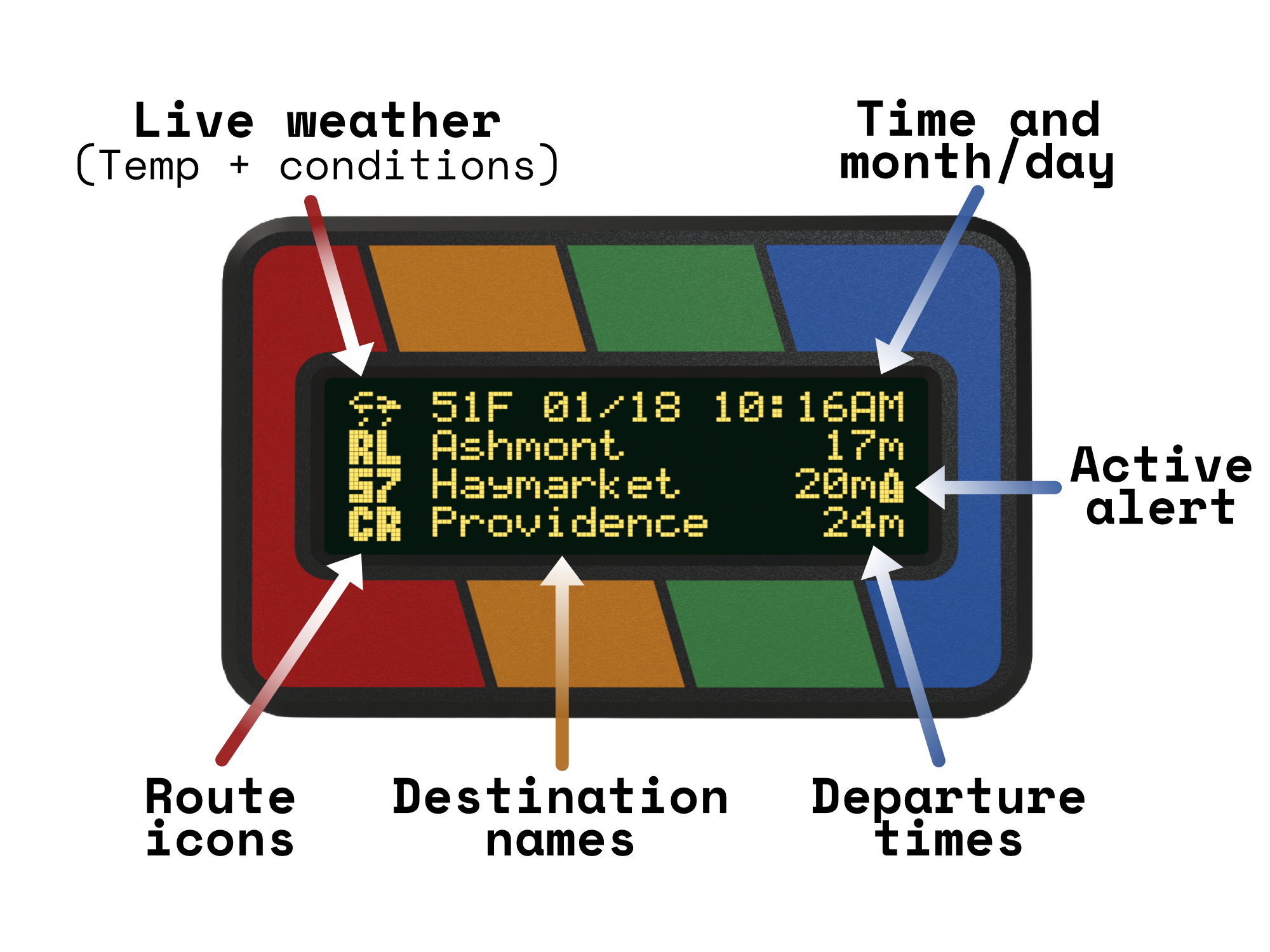
The T-Time brings a little bit of everything to your desk! Wanted to check your bus, and also if you need a coat or umbrella? T-Time's got you covered.
Does the T-Time support eduroam?
Yes! I absolutely can't leave behind the large number of students within Boston, so the T-Time will natively support eduroam along with any other enterprise WiFi networks that don't require CA certificates.
The only downside of this is that you will not be able to use the locally hosted webserver to reconfigure the T-Time without restarting it in AP mode, where it hosts its own WiFi network you can connect to. However, this is totally fine because the T-Time does not require connection for any configuration features.
How is the T-Time powered?
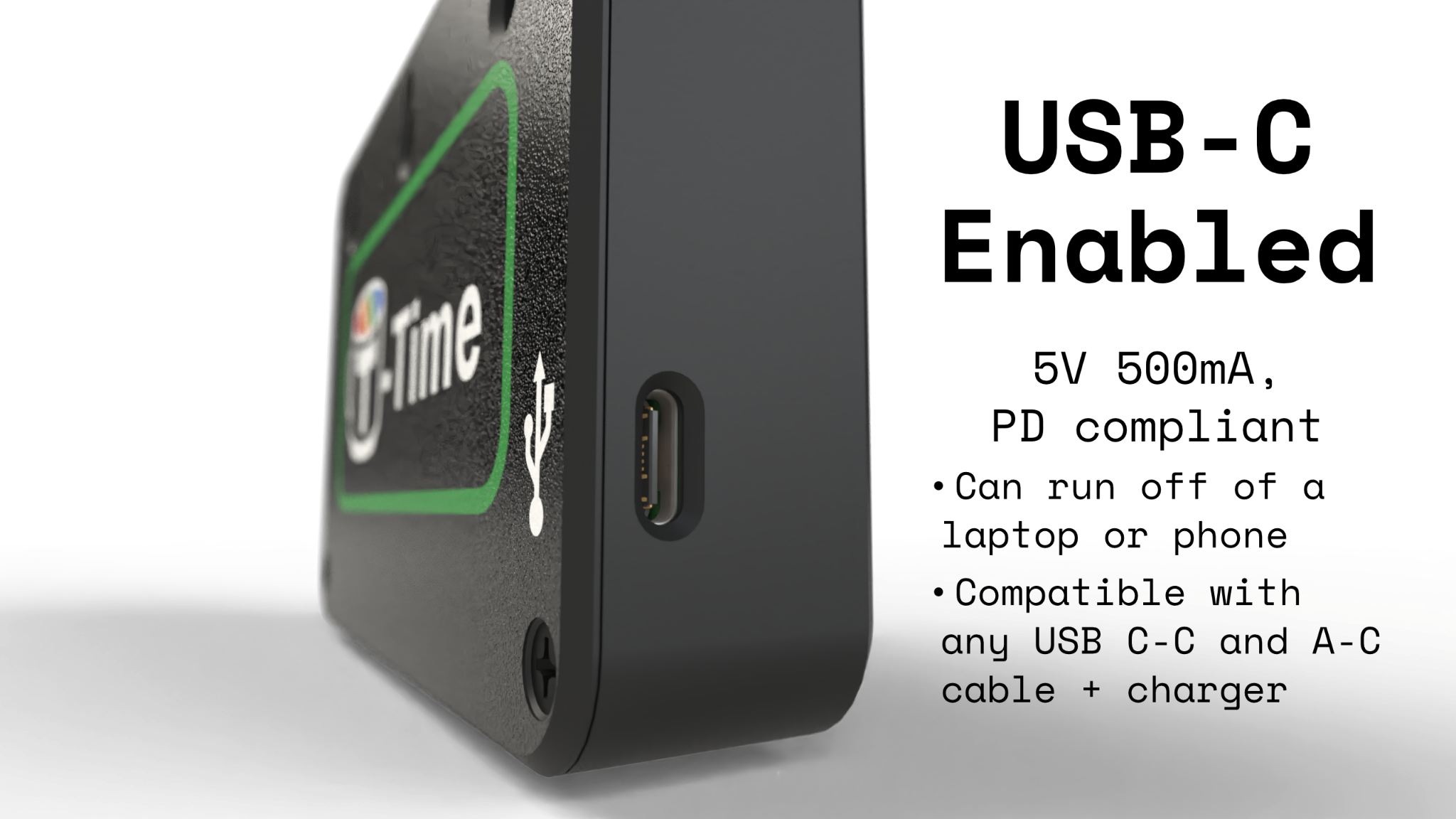
It's the big '26, and there's really no better way to give a device power than USB-C. The T-Time is fully compatible with all USB-C PD and non-PD compliant chargers and cables. Just hook any cable up to any charger or device (C-C or A-C) and you should be good to go!
How can I mount the T-Time?
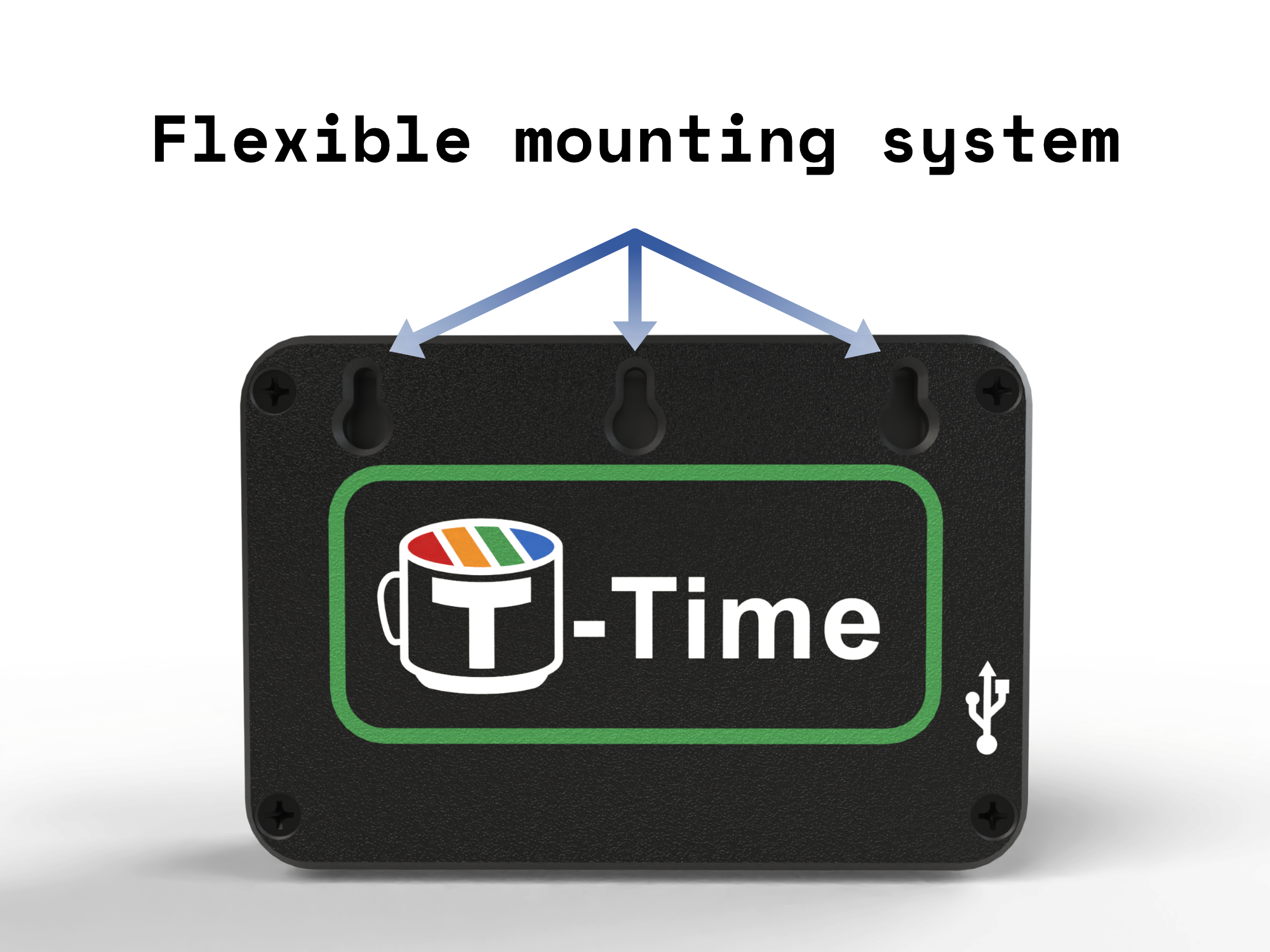
All T-Time models feature stand mounts and also wall mounting capabilities! The possibilities are endless, and for renters, you can still use the same command strip hooks or double sided tape you'd use to hang a painting.
Community FAQs:
- Although many T-Time models are subway themed, the T-Time has full bus support for all us bus enjoyers!
- The T-Time MinuTe model (pictured above) will cost $70 with free shipping.
- The stops/trains shown are completely reconfigurable after purchase from a locally hosted webserver on the device (no app needed).
- When the number of entries on the screen exceeds the 3 row limit, it will step through pages of departures in order of departure time and then start over.
- The screen will also scroll horizontally for all entries wider than the visible section, in the style of old CD players and FM radios.
- You can set minimum and maximum departure times to avoid showing trains that you can't catch and avoid clutter.
- You can add multiple bus and train stations to the configuration settings, so you don't need multiple T-Times.
- When released, updates are done manually by uploading a new firmware file through the webserver hosted from the device or over the USB port.
- I have no control over the device after I ship it to you, it just runs locally on whatever WiFi you install it on :)
When will the T-Time release?
My best guess for normal release is within the first 3-4 months of 2026.
One of the largest challenges with the project has been implementing all the cool features I want to add while keeping it running smoothly. This has meant I needed to rewrite some pretty significant sections of the internal code, even going as far as working with a friend of mine to write a memory efficient JSON parser only for MBTA data entirely from scratch. It's also been a bit of a challenge to get eduroam support working.
If you want to go see a real T-Time in the wild, go check out the beta version I built for Currentea (and try some of their tea)! It sits on the upper right of their stall's storefront in the North Station's Hub Hall.
How does the T-Time work?
T-Time units leverage the MBTA's API V3 to regularly fetch real-time transit info for the stops and routes you select. This data is then processed to remove broken and incorrect entries, and finally displayed and regularly updated on loop for the user to see. The local time and weather are also displayed for the Boston area using NTP synchronization and the NWS API service provided by NOAA. The device runs entirely locally with no paid subscriptions, API keys, or cloud management. Since it only pulls data from these three free APIs, it can work on basically any WiFi network, even open networks with a captive portal (I tested it at a Caffè Nero downtown and it worked very well).
The T-Time does have a local web-server that runs on your network which you can access at http://t-time.local/ or the IP address displayed on the screen once you have it connected to your network. This allows you to configure settings such as the stops and routes you wish to see, the min and max departure times to display, the time you want the backlight to turn off and on (if needed), and other features like LCD color depending on the model. This same web-portal is available as a network that you initially will connect to from another device with a web browser to for configuring the WiFi settings on the T-Time. This will be a familiar process for anyone used to setting up smart home devices, but only requires web browser.
Where is T-Time based?
The project originally started while I lived in Boston last summer, but now I'm back in Madison, WI. I'm still working on it from here, and I'll start shipping units from Madison once I get past the prototyping stage. Eventually I hope to move back to Boston for work someday, since I love the city!
What is the T-Time made out of?
The T-Time will use Matte PLA for the case due to the wide variety of available colors. I may investigate switching to ABS/PETG for better UV resistance at some point, but I am not a huge fan of their glossy surface finish.
Eventually, I would like to investigate special filaments like wooden and marble PLA as well for "premium" case options, but I don't have the time/budget to do that yet.